Docs › Analytics
Link & audience analytics
See clicks and scans over time, plus breakdowns by country, device, browser and referrer.
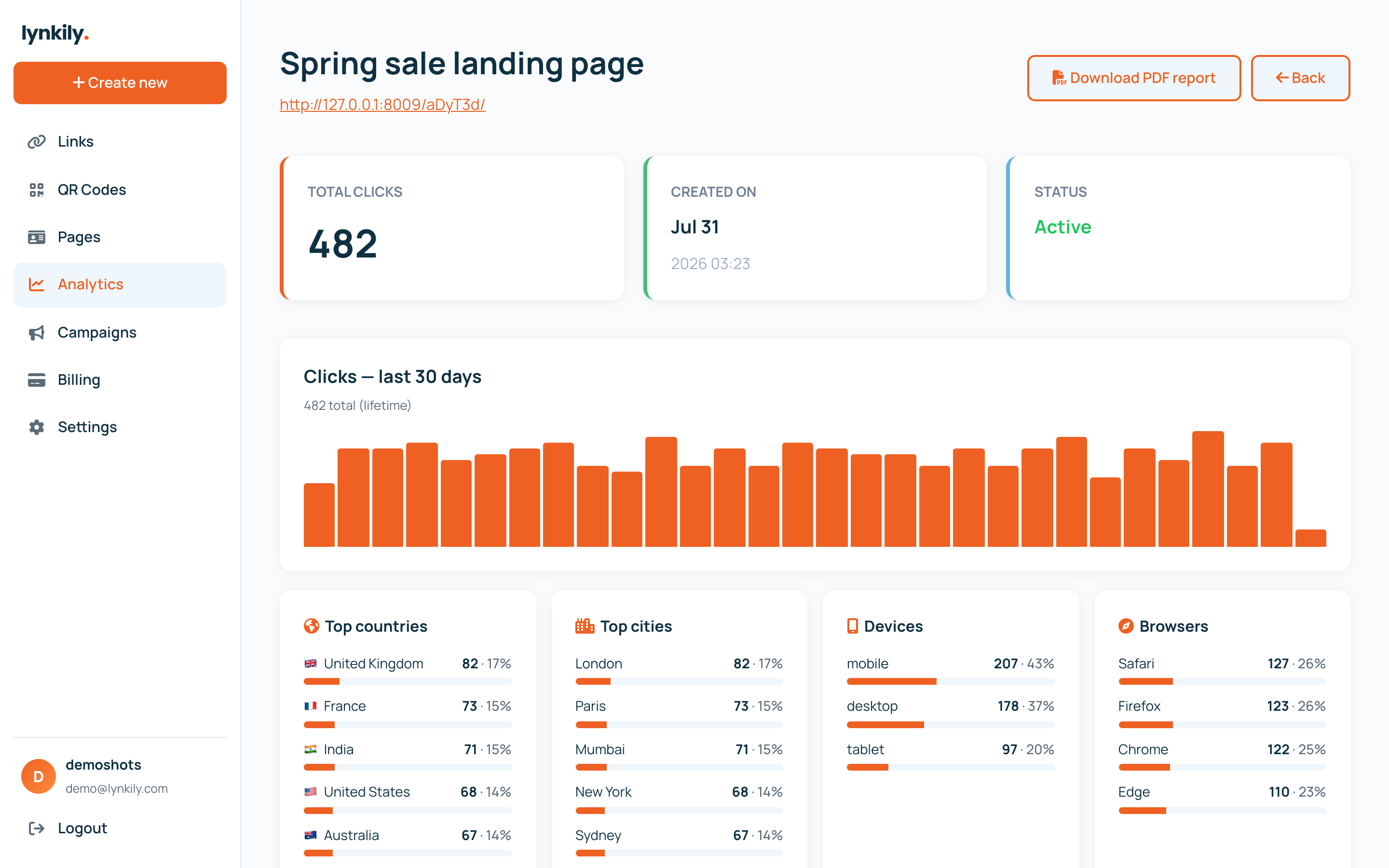
Every link, QR code and bio page is tracked in real time. See what’s working with a clean trend chart and audience breakdowns — no setup required.
Step by step
- Open Analytics in the sidebar for an account-wide overview, or open a single link for its detail page.
- Read the trend chart to see clicks/scans over your plan’s history window.
- Scroll to the breakdowns: top countries, devices, browsers, operating systems and referrers.
- Open the Recent activity table to browse every event, paginated.
Pro tips
- Analytics history length depends on your plan (30 days, 4 months or a full year).
- City & device insights and full audience breakdowns are included on every paid plan.
- Location data appears once your live (deployed) links get real visits.