Docs › Analytics
Branded PDF analytics reports
Download a clean, branded PDF report for any link or bio page in one click.
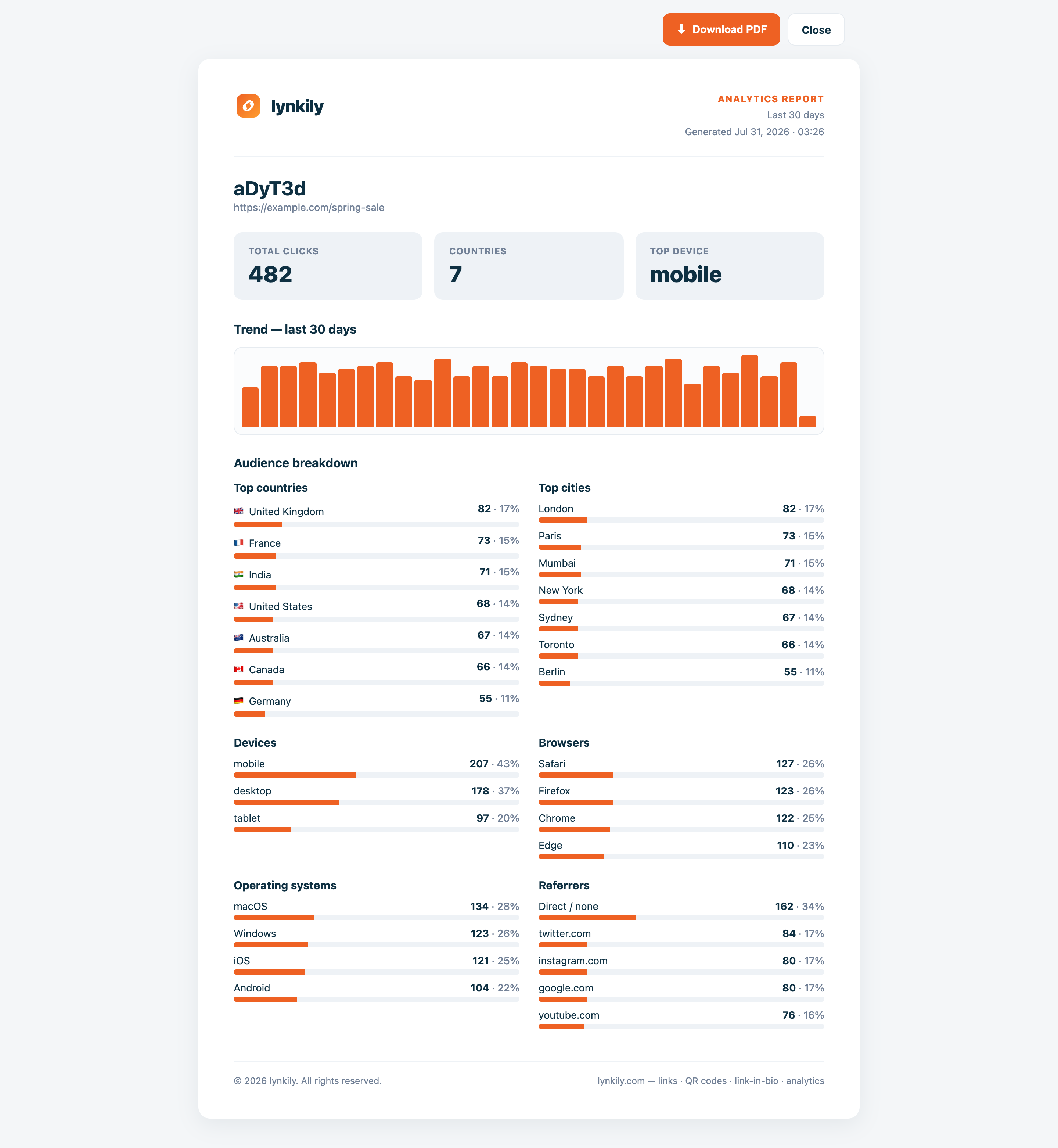
Share results with clients or your team as a professional PDF — with the trend chart, key stats and audience breakdowns, generated straight from your live data.
Step by step
- Open a link’s detail page, or your Page Analytics.
- Click “Download PDF report”.
- A branded report opens; click Download PDF to save a multi-page file.
- Send it on — it includes totals, the trend chart and the full breakdowns.
Pro tips
- Reports reflect your plan’s analytics window, so longer plans show more history.
- Great for monthly client updates without exporting raw data.