Docs › Links
Branded links & custom domains
Put your own domain on your short links so they read like go.yourbrand.com/launch.
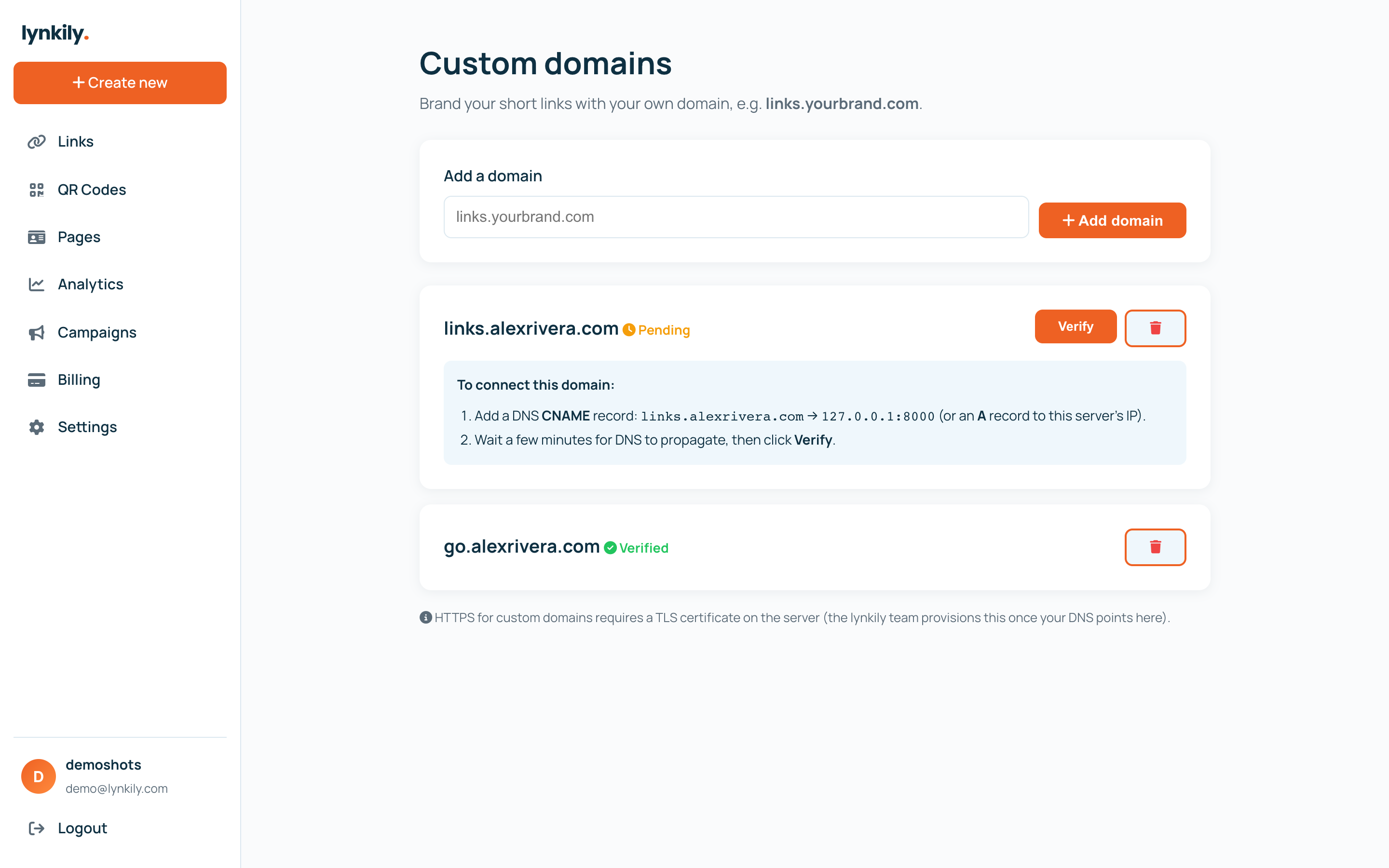
Branded links replace the default domain with one you own, building trust and lifting click-through. Connect a domain or subdomain once, then create links on it.
Step by step
- Open Domains in the sidebar and add the domain (or subdomain) you want to use.
- Add the DNS record shown so it points at lynkily, then click Verify.
- Once verified, choose your domain when you create a link.
- Every link on that domain still supports dynamic editing, analytics and QR codes.
Pro tips
- A short branded subdomain like go.yourbrand.com works great and is easy to set up.
- Branded domains are included on every paid plan.