Docs › QR codes
QR Code Studio
Design branded, dynamic QR codes and download them in the right format and size.
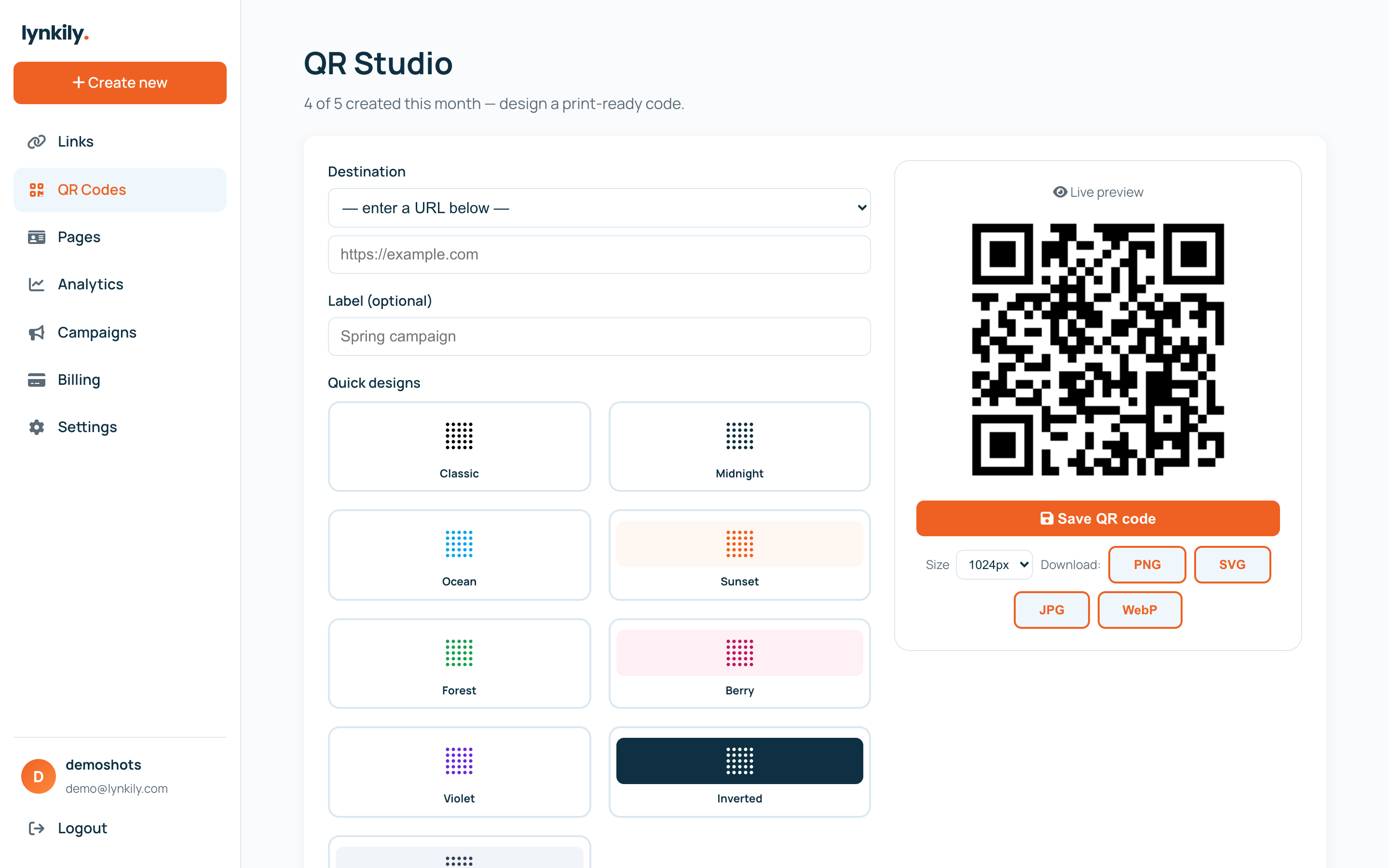
Every QR code you make is dynamic and trackable — you can restyle it, point it anywhere, and see scans in analytics. The studio gives you a live preview as you design.
Step by step
- Open QR Codes in the sidebar to launch the studio.
- Pick a link (or paste a URL) as the QR target.
- Style it: colors, dot pattern, corner style, and a center logo. Watch the live preview update.
- Choose a download size (512 / 1024 / 2048px) and format — PNG, SVG, JPG or WebP.
- Save it to your account to track scans, or just download and go.
Pro tips
- Use SVG or a 2048px PNG for print so the code stays crisp at any size.
- Keep strong contrast and don’t oversize the logo, so the code always scans.
- Because codes are dynamic, you can change the destination later without reprinting.