Docs › Link-in-bio
Build your link-in-bio page
A mobile-friendly page that holds all your links — your own @handle, themes and templates.
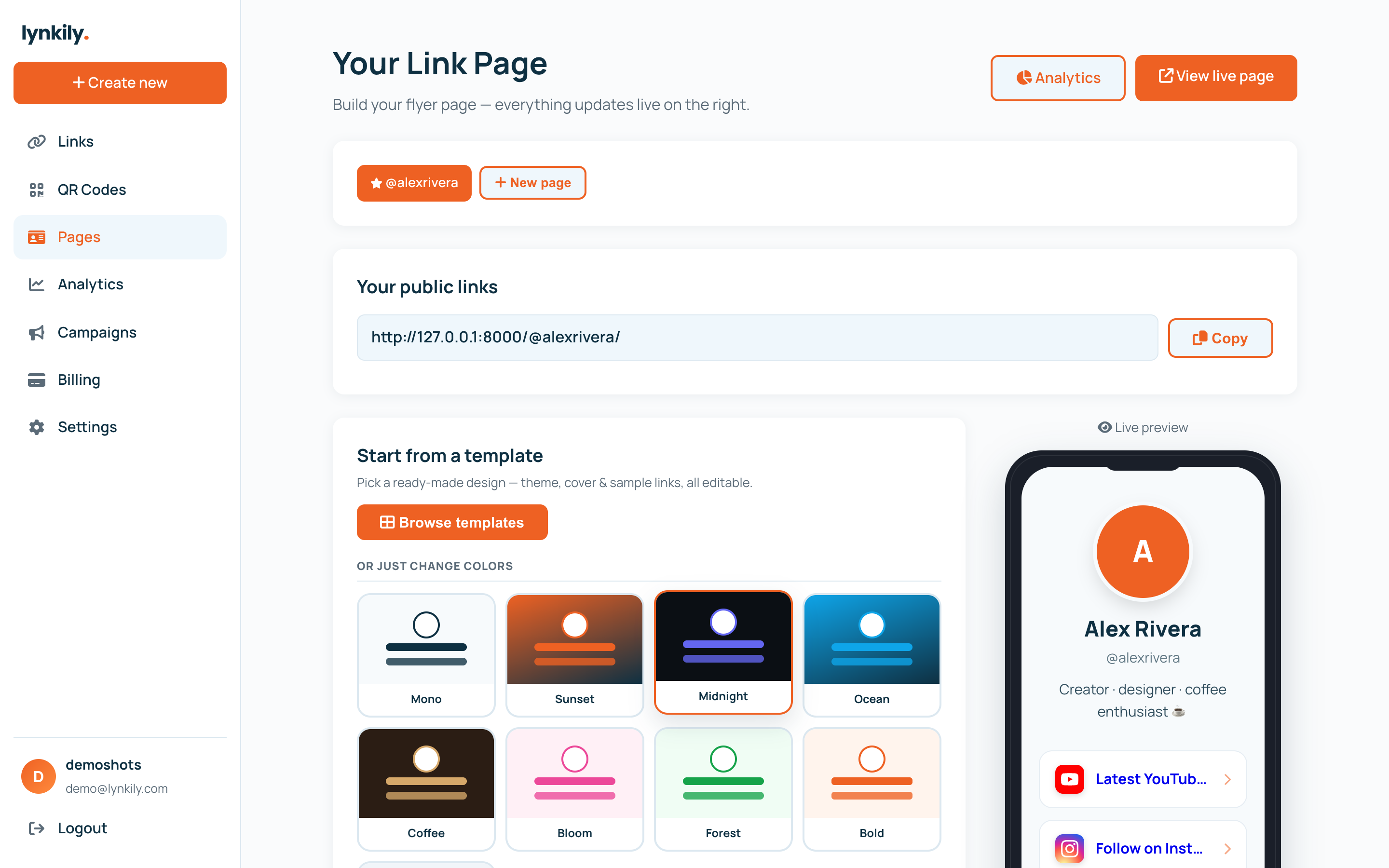
A link-in-bio page is one link that shows all your links, perfect for Instagram, TikTok and more. Customise the look, add your links as buttons, and share your @handle.
Step by step
- Open Pages in the sidebar to open the builder.
- Set your title, bio and avatar, and pick a theme, accent color and button style (or start from a template).
- Add buttons: a label, a URL and an icon. Drag to reorder them.
- Use the live preview to see exactly how your page looks.
- Publish, then share your page at lynkily.com/@yourhandle (or a custom slug).
Pro tips
- Templates give you a polished starting point — apply one, then tweak.
- Reorder buttons by dragging the handle; the most important links go on top.
- Check Page Analytics to see views, clicks and your best-performing links.