Docs › Getting started
Create a short link
Turn any long URL into a short, trackable link — with an optional custom name.
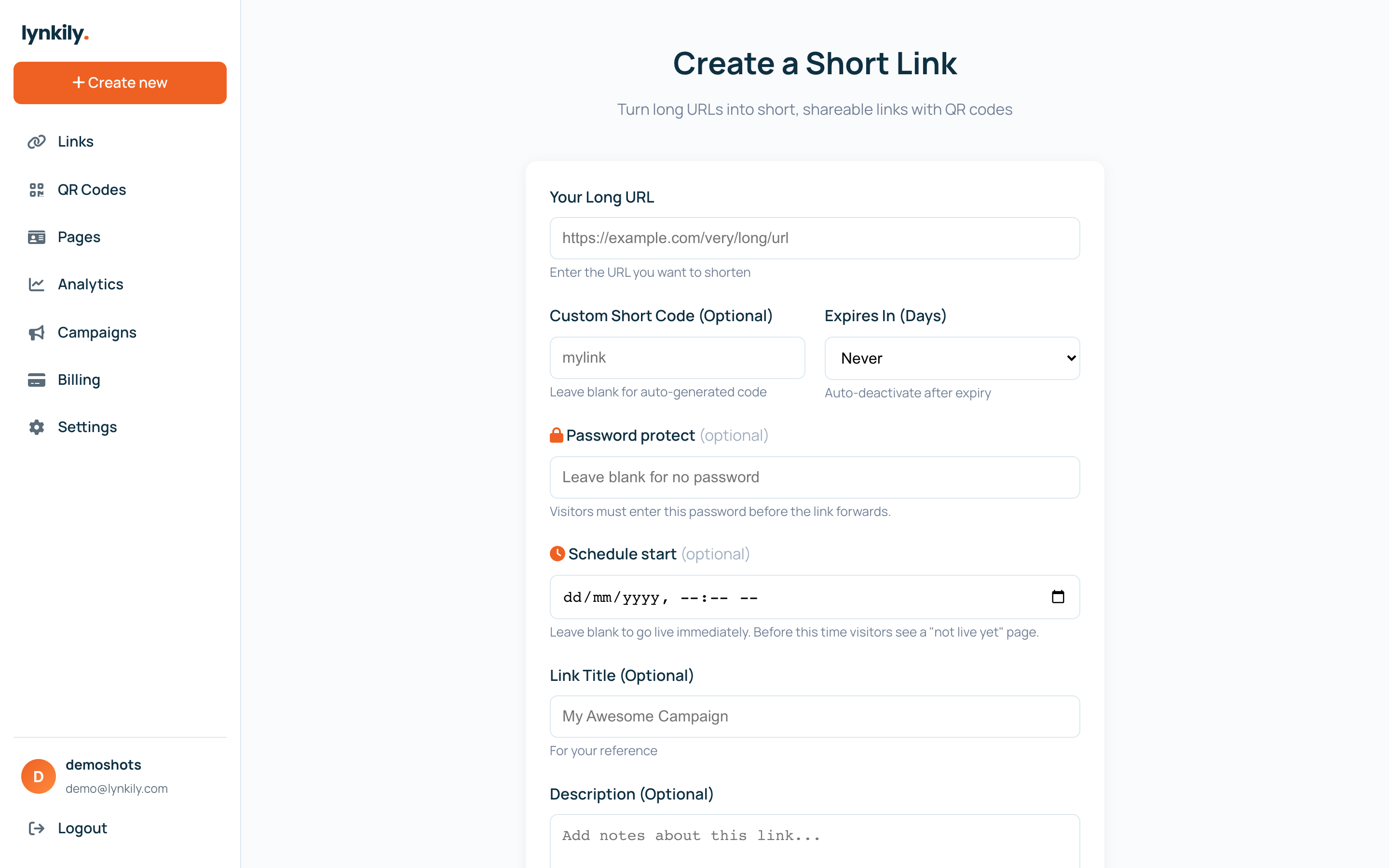
Short links are easier to share and let you track every click. In lynkily you can shorten any URL, give it a memorable custom back-half, and start collecting analytics instantly.
Step by step
- Click “Create” in the sidebar (or the Create button on the dashboard).
- Paste your long destination URL into the URL field.
- Optional: add a custom name (back-half) so the link reads the way you want.
- Optional: add a title, a UTM campaign, an expiration, a password or a schedule.
- Click Create — your short link is ready to copy and share, and clicks start tracking right away.
Pro tips
- Give links a clear custom name for print or social so people trust them.
- Open a link’s detail page any time to see clicks over time, locations, devices and referrers.
- Need many at once? Create them one after another — the form stays open.